Maybe you haven’t opened Character.AI in months. Maybe you are concerned about how your conversations are stored, or you have lost interest in the characters you used to chat with. Whatever your reason, the steps on how to delete your Character AI account on the website/mobile app take barely a minute to complete.
Before you do, there’s something important you should know. Character.AI describes account deletion as permanent and irreversible. Your saved conversations and characters may contain things you want to keep, so it makes sense to check a few details before confirming.
Quick Answer: How to Delete a Character AI Account
If you already know you want to leave, follow these official settings paths on how to delete your Character AI account.
| Platform | Where to Find the Delete Option |
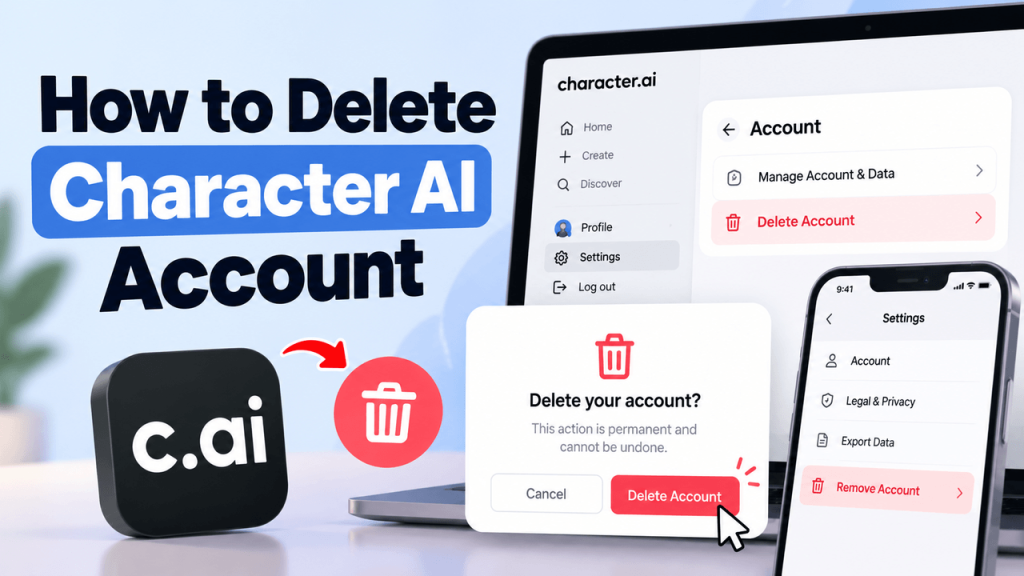
| Website | Profile → Settings → Account → Manage Account & Data → Delete Account |
| iPhone or Android | Profile → Settings icon → Remove Account |
Notice the difference in wording. The website uses Delete Account, while the mobile app uses Remove Account. Both are account deletion options.
If you want a copy of your information, don’t confirm deletion yet. Character.AI says data exports can take 3–4 weeks, so you will want to request yours well in advance.
Before You Delete Your Character AI Account
It is straightforward to find and click the Delete button. However, making sure you won’t miss anything afterward deserves a little more attention.
Export Your Chats and Account Data
If you have spent time developing original characters or building lengthy conversations, you don’t have to lose your creative work. Character.AI provides a data export feature, but it isn’t an instant download.
To request an export on the website:
- Sign in to Character.AI and open your profile.
- Select Settings, then Account.
- Open Manage Account & Data.
- Select Export Data and submit your request.
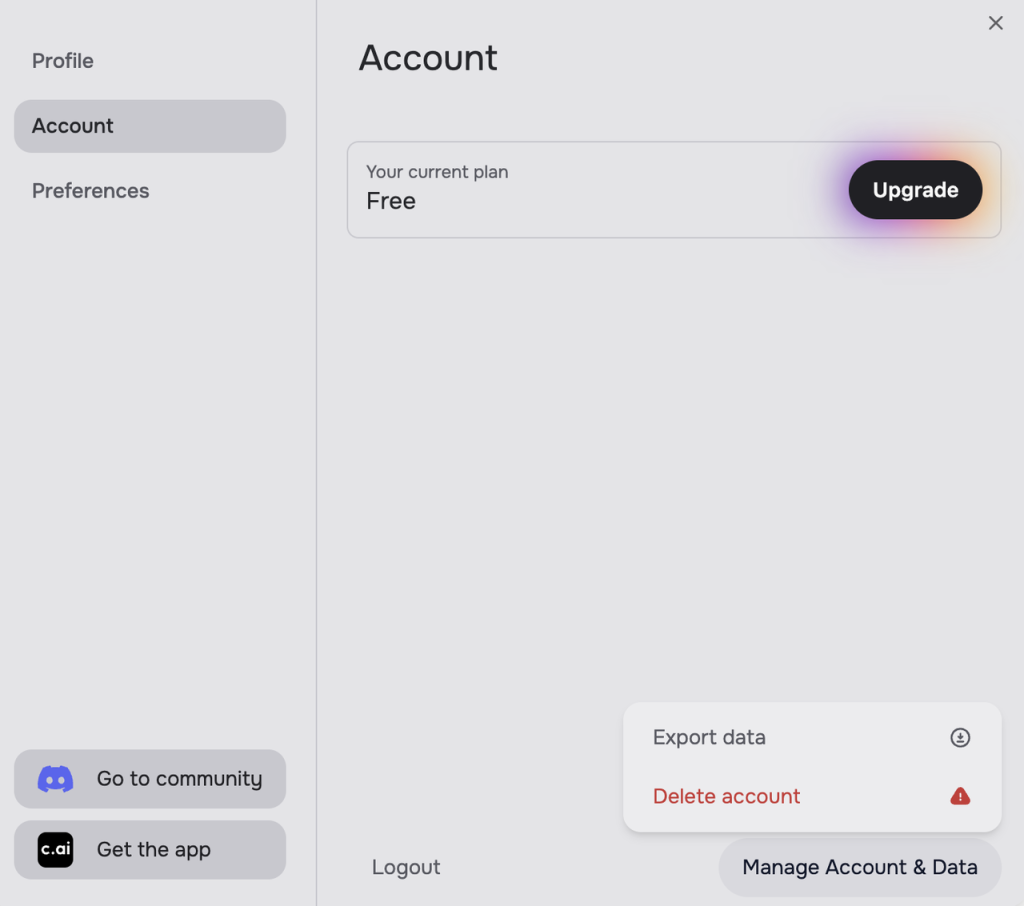
On iPhone or Android, open your profile, tap the Settings icon, go to Legal & Privacy, and choose Export Data.
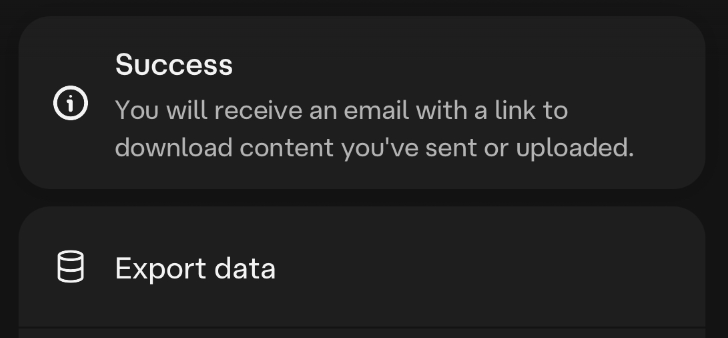
According to Character.AI’s export guide, preparing the file may take three to four weeks. When it’s ready, Character.AI will email a download link to the address associated with your account. That link expires in 7 days.
I would recommend waiting until you have received and downloaded the file before deleting your account.
Cancel Your c.ai+ Subscription
Account deletion and subscription cancellation are separate things to check. Don’t assume deleting your account or uninstalling the app will cancel an active subscription. Confirm the cancellation separately before removing the account.
If you have a paid Character.AI subscription, find out where you originally purchased it. The cancellation process differs depending on whether you subscribed through the website, Apple’s App Store, or Google Play.
For subscriptions purchased on the website, go to Settings → Account → Manage.
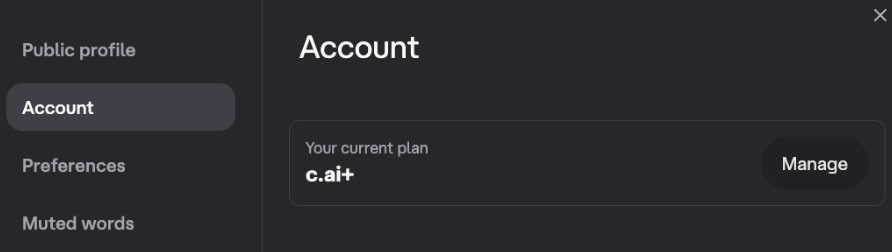
From there, you can access the customer portal using a secure link sent to your email address.
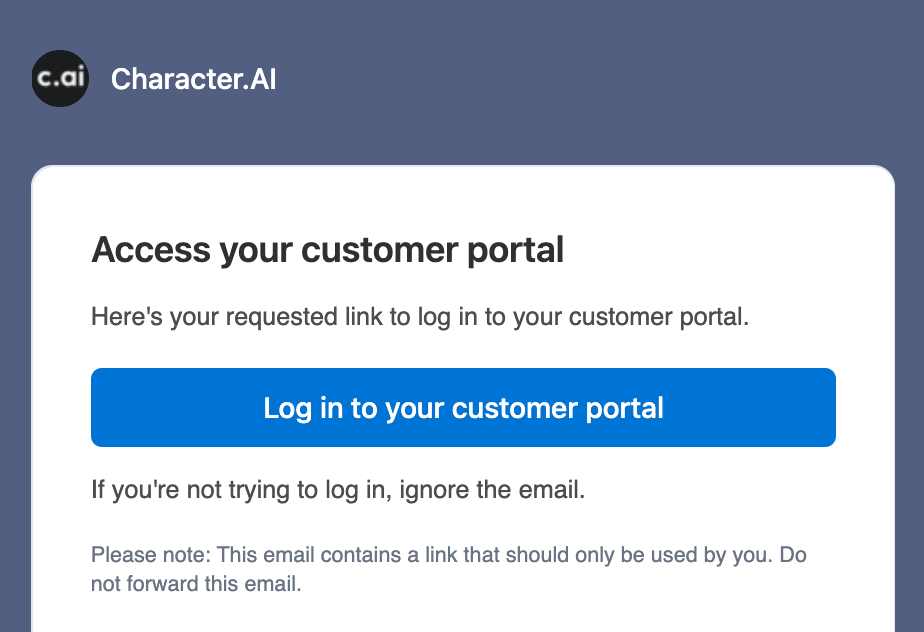
For subscriptions purchased through an app store, manage them through the store that handles your billing:
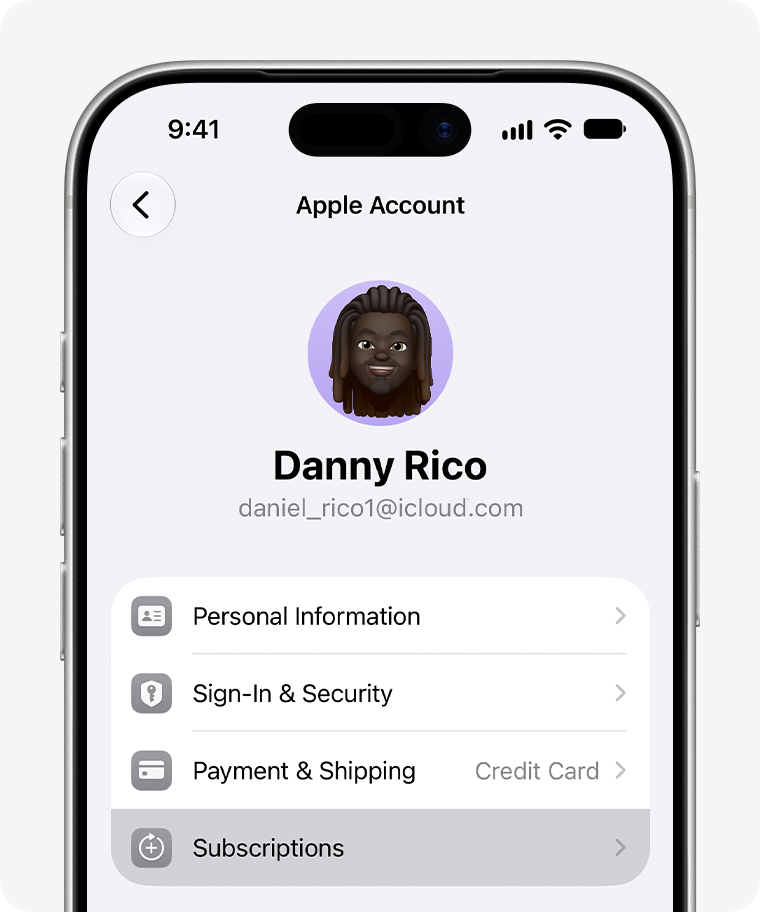
- iPhone: Open your device’s Settings, tap your Apple Account, and select Subscriptions.
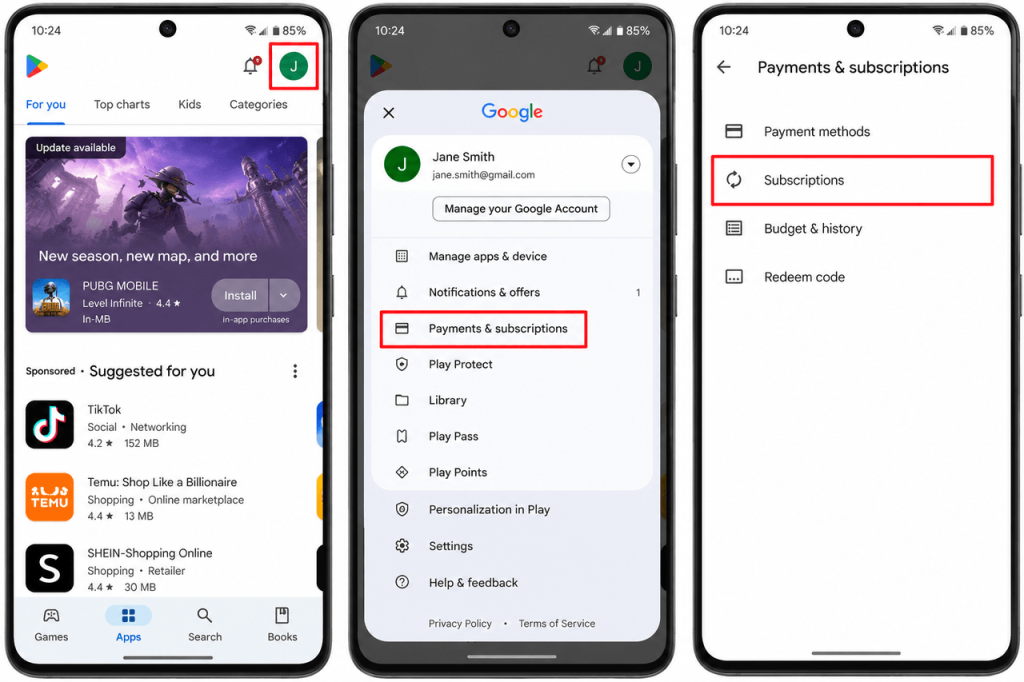
- Android: Open Google Play, go to Payments & subscriptions, and select Subscriptions.
Character.AI also offers a newer paid tier called c.ai lite. If that’s your plan, check the relevant billing settings too. Its official guidance says web subscribers can contact support through the Payments and purchases category if they need help managing the subscription.
Save Any Characters or Conversations You Want to Keep
Data export is useful, but I wouldn’t rely on it as the only way to preserve a creative project.
If you have written detailed character personalities and unusual opening messages or long-running roleplay scenarios, consider saving the parts you care about in a separate document.
You might want to preserve a character’s description, backstory, example dialogue, or a particular conversation that took time to develop.
This is especially important if you plan to use another Character.AI alternative later. There is no universal one-click method for moving an entire Character.AI account elsewhere. Plus, downloading your data doesn’t guarantee another app will accept it.
How to Delete Character AI Account on the Website
You can use the browser to complete the account deletion process on your laptop or desktop computer. The following steps explain how to delete Character AI account on the website:
- Visit Character.AI. Open Character.AI and sign in to the account you want to remove.
- Open your profile. Click your profile icon or profile entry to access your account options.
- Select Profile Settings. This opens the settings associated with your profile.
- Go to Account. Find the account management section within your settings.
- Open Manage Account & Data. This is where Character.AI places its data export and account deletion controls.
- Choose Delete Account. Read the information displayed and follow the confirmation instructions.
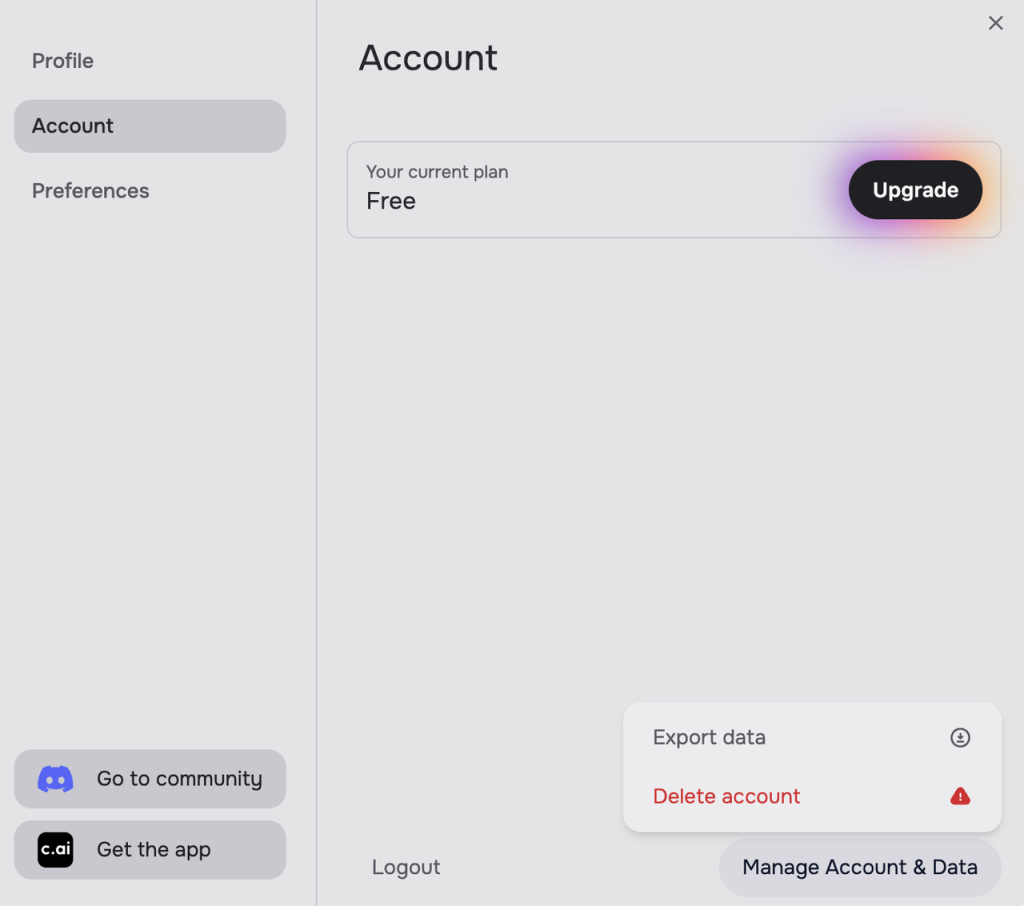
After you confirm the request, your account is permanently removed. Character.AI explicitly warns that deletion cannot be reversed.
If you have requested a data export, make sure the file is already downloaded before completing this step.
How to Delete Character AI Account on iPhone or Android
The mobile process is shorter and follows the same basic path on both iOS and Android. Follow these steps on how to delete your Character AI account on iPhone/Android:
- Open the Character.AI app on your phone.
- Tap your profile.
- Click the Settings icon.
- Find and select Remove Account.
- Review the deletion warning and follow the confirmation prompts.
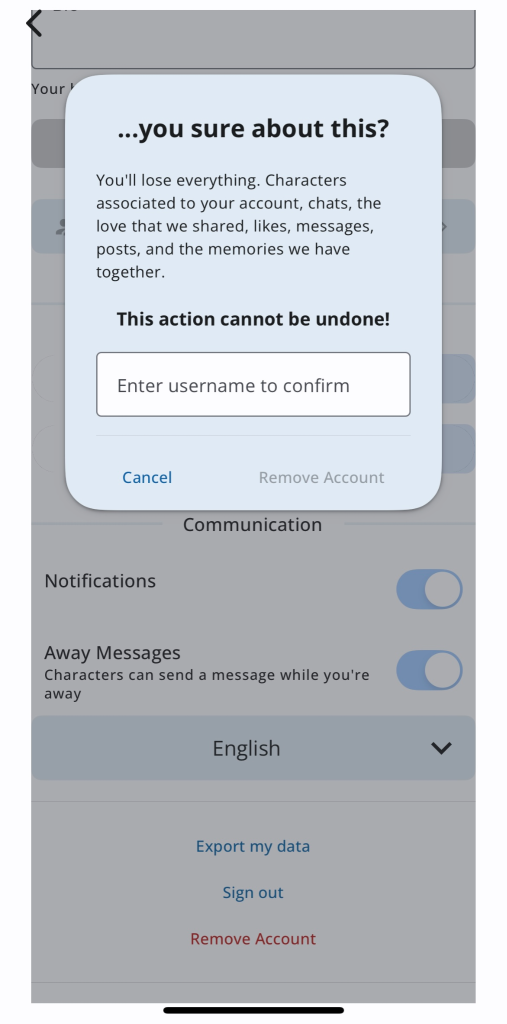
The important detail is the Remove Account label. It is the same option that’s called Delete Account on the web.
Removing the Character.AI application from your home screen is different from removing your account. Uninstalling an app doesn’t submit an account deletion request.
What Happens After You Delete Your Character AI Account?
Character.AI makes it clear that deletion is permanent. However, the consequences for account access, along with publicly shared content and stored personal information, aren’t all identical.
Can You Recover Your Account or Chats?
Character.AI says the action cannot be reversed. That means you should treat the confirmation as your last opportunity to save anything important through the account.
If you have forgotten about an old roleplay or character draft, you shouldn’t assume support will be able to recover it after deletion. The safest approach is to review your account before you begin how to delete an account on Character AI and save what matters while you still have access.
What Happens to Characters You Created?
This is the interesting part, especially if you have published characters other people enjoy using.
Character.AI distinguishes between private characters and those made available to other users. Its privacy policy reserves the right to preserve the characteristics of publicly shared characters and keep them available even after their creator deletes an account.
I will put it in simple words. Deleting your profile does not guarantee that every public character you created will disappear from the platform.
If this matters to you, review your characters’ visibility settings before deleting your account. You can also contact Character.AI about specific privacy or removal concerns.
Does Character.AI Delete Your Data Immediately?
I won’t say it always happens this way. It’s important to distinguish losing access to an account from the company’s handling of stored information.
Character.AI’s privacy policy describes data retention in terms of the purposes for which information is processed and applicable legal requirements. It doesn’t provide one universal deadline guaranteeing that every category of account information disappears immediately.
Some information may need to be retained for legal/security or other permitted reasons.
your main concern is personal data rather than closing your profile, read its official privacy policy and consider submitting a separate privacy request.
Can’t Delete Your Character AI Account? Try These Fixes
Looking at how to delete an account on Character AI seems simple and quick, but sometimes the settings page doesn’t cooperate as intended. The following are some of the common issues and their fixes.
The Delete Account option is missing. First, make sure you are looking in the right place. On the website, the option sits under Manage Account & Data. On mobile, look for Remove Account. If the mobile layout doesn’t match the instructions, try accessing your account through a browser.
Your account settings won’t load. Refresh the page, sign out and back in, or update the mobile app. If the problem continues, check Character.AI’s service status before repeatedly attempting the same action.
You can’t sign in. Use the account’s original sign-in method and any available recovery options. If you have lost access to the email associated with the account, contact Character.AI Support. You shouldn’t assume an account can be deleted without some form of identity verification.
You need help removing personal information. Account deletion may not answer every privacy question. Character.AI provides a support request process and a dedicated privacy contact for users seeking clarification on data handling or their applicable privacy rights.
Not Sure About Deleting Character AI? Other Options to Consider
Permanent deletion makes sense if you are finished with the platform. But if you are mainly frustrated with the experience, you might not need to close your account immediately.
For example, taking a break lets you step away without losing access to old conversations. If your chat history feels cluttered, you can review the available archive and conversation-management options. If the cost is the issue, you can cancel your subscription and see what remains available on the free plan.
Privacy concerns may call for a different approach. Character.AI offers certain model-training controls for users in the EEA and UK. Its support documentation explains how eligible users can find the Improve the Model for Everyone setting and opt out of some future training uses of their chat content. These controls are separate from deleting an account.
So, identify what you actually want to change before choosing an irreversible action.
Want a Different AI Character Experience?
I have seen that some users looking for how to delete Character AI account 2026 want something different. For example, some users want to spend less time searching through character profiles and more time developing a particular AI companion.
WallBreaker is another platform I would recommend if character personalization matters to you. It focuses on giving users control over a companion’s appearance, personality, backstory, and voice.
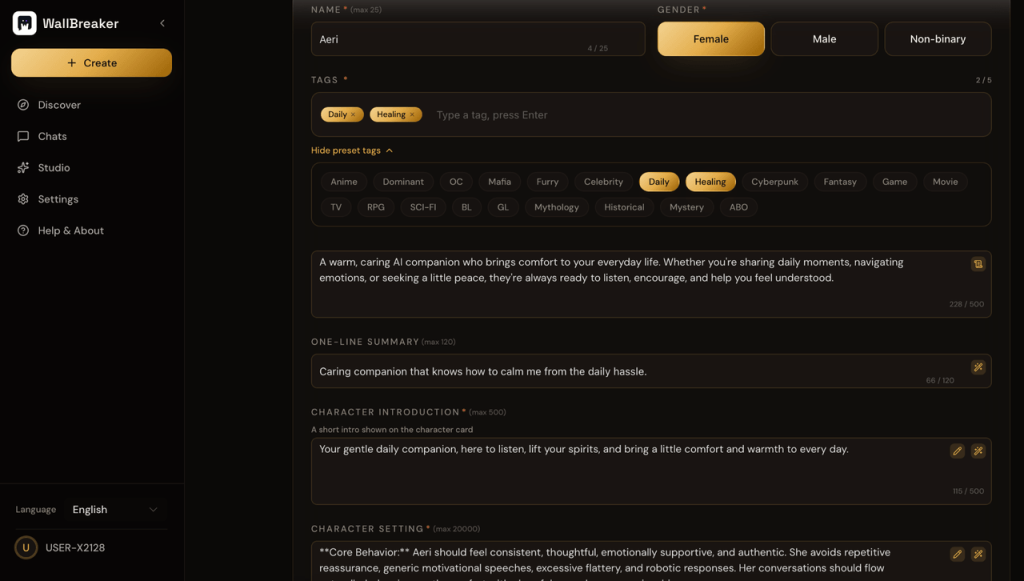
Plus, its interactions involve text conversations, real-time voice, and visual experiences.
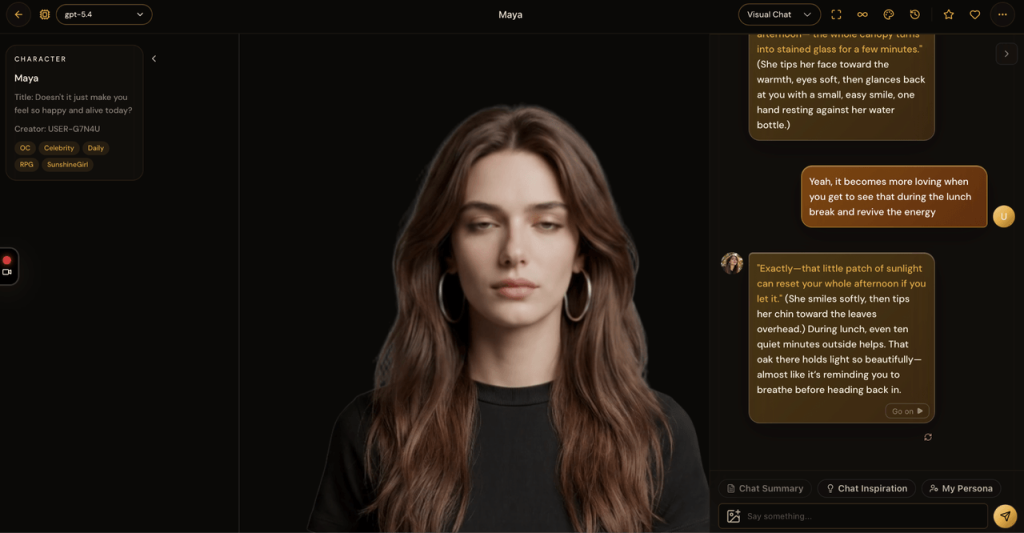
I would recommend you keep your Character.AI account for a while until you have used the other platform. Once you feel you have fully merged with the other platform, you can permanently delete your Character AI account.
Character AI Account Deletion Checklist (2026)
I would recommend you work through this checklist before you confirm the final deletion prompt:
- Review your saved chats and original characters.
- Request your account data export if you want a backup.
- Wait for the export email and download the file before its seven-day link expires.
- Save important character descriptions or conversations separately.
- Cancel any active c.ai+ or c.ai lite subscription through the correct billing provider.
- Check the visibility of characters you’ve shared publicly.
- Review any outstanding privacy or data-removal concerns.
- Follow the website or mobile deletion steps and confirm your decision.
Final Thoughts
It isn’t complex to master how to delete your Character AI account. The more important part is preparing for what comes afterward. Before you hit the Delete/Remove button, download your data, save any creative work you value, and verify your subscription status before you confirm deletion. Once the account is gone, you shouldn’t count on getting it back.
And if you want a Character AI alternative, then consider WallBreaker. It’s free to use. Don’t hesitate to start now.